




The 2026 Taiwan Outdoor Education Season was a 22-week cross-ministry web campaign, with planning, design, and development completed in under 2 months. The Ministry of Education launched the campaign together with the Ministry of Culture, the National Park Service of the Ministry of the Interior, the Forestry and Nature Conservation Agency of the Ministry of Agriculture, the Ministry of Environment, the Ministry of Economic Affairs, the Hakka Affairs Council, the Tourism Administration of the Ministry of Transportation and Communications, the Ocean Affairs Council, and the Council of Indigenous Peoples, with a private organization also taking part. Each organization submitted its courses on the same 15-column survey form, 11 worksheets in all. The development team used a Python script to turn those worksheets into four tables for venues, courses, characters, and quiz questions, and a Node.js import script then validated each table row by row before writing to the database. The finished data has 187 venues, 476 courses, and 1,056 quiz questions, and the interactive map, course list, character cards, and announcements all use the same set of IDs.
The overall build scope is described under campaign platform and admin, and rewards and accounting are covered in accounting, abuse prevention, and budget controls for prize campaigns.
10 ministries and a private organization
- 11 worksheetsOne shared 15-column header
Development team
- Python cleanup scriptColumn mapping, venue merging, date parsing, ID sorting
- Master workbook, four worksheetsVenues, courses, characters, quiz questions
- Node.js import scriptValidate in the first pass, write in the second
Campaign site and outward-facing documents
- Interactive map and course listQuery by map extent, county or city, month, weekday, theme, and ministry
- Character cardsGenerated in batches from the master workbook
- Announcements and shareable copyReuse the same names and figures
Edit once, in the master workbookVenue names, course times, and similar content are changed at the source. After the script is rerun, the map, course list, and cards read the updated data.
Scope: venue, course, character, quiz, and announcement data used during the campaign
Merging survey sheets and mapping columns
The survey's 15 columns include course name, venue, map address, type, description, activity time, fee, registration contact, supervising authority, organizing unit, and recommended highlight. The script reads each sheet with pandas and keeps only the first 15 columns. It strips line breaks from the column names and maps each one to a fixed internal name by keyword (for example "google", "description", and "recommended highlight" in the original Chinese), notes which worksheet each row came from, and merges everything into one table, dropping the sample rows and the repeated header rows.
| Original column | Master column | Cleanup rule |
|---|---|---|
| Course name | Course name, course ID | Strip line breaks and spaces, then look up the course ID in the mapping table by name |
| Venue, map address | Venue name, address, Google Maps link | Unify the spelling and create the venue, as described in the next section; the link is built from the address as a search URL |
| Type | Course category | Over twenty free-text options are mapped to 8 categories; ecology and environment is the largest, with 186 courses |
| Activity time | Start date, end date, weekdays open each week, time note | Parsed by rule, as described in the section on activity dates |
| Registration contact | Registration method | A cell with a URL is labeled a registration link, one with only an email address a contact email, and one with a phone number a contact phone |
| Description, type | Tags | Match the name, description, and type against a keyword table; when nothing matches, use the category as the tag |
After the merge, the data is split into a venue table and a course table. The venue table has one row per venue, the course table has one row per course, and the import links each course to its venue by venue ID. This follows the structure Wickham, 2014 describes for tidy datasets, with each variable in a column, each observation in a row, and each type of observational unit in its own table. Address, area, and owning organization appear only in the venue table, so a venue that hosts many courses still has a single address.

Matching and merging venues
The venue field is normalized first. Remarks in parentheses are removed, full-width commas become half-width, runs of spaces collapse into one, and the two common forms of the character for Taiwan are unified so that names match, with addresses restored to the official form at import. The normalized name is the venue key. Identical names are treated as one venue, and the address is taken from the first row that has one.
Venue deduplication is an instance of duplicate record detection. Elmagarmid et al., 2007 point out that the same entity often has two or more representations in a database and that duplicate records share no common key. The survey forms carry no shared venue ID, so the IDs come from matching rules. A merge table with 31 entries folds floors, halls, trails, and spelling variants within the same building or grounds into a main venue. A multi-location table with 18 entries assigns courses that list several locations to a main venue and records the others in the note, written as "Sites: includes ...".
- Read the venue fieldFrom the survey form of each organization
- NormalizeDrop remarks in parentheses, convert full-width to half-width, and unify the two forms of the character for Taiwan
- Floors, halls, or trails in the same building or groundsMerge into the main venueThe sub-location goes into the course note as "Sites: ..."
- One course lists several locationsAssign to the main venueThe note states which other locations are included
- Different physical locationsKeep each as its own venue
Addresses are standardized separately. The formal address with county or city and street number is extracted from the parentheses, map URLs are removed, and house numbers written in Chinese numerals are converted to Arabic numerals (a number written with the Chinese numeral for five becomes 5). The Google Maps link is then built from the cleaned address. Venues fall into five areas: north, central, south, east, and outlying islands. The area comes from the course mapping table, and when no entry exists it is judged from the address by checking county and city names in the order outlying islands, north, central, south, east.
Each venue also has a GPS verification area. Coordinates are looked up first in a manually maintained coordinate table. For the rest, the Nominatim geocoder is called with the address, or with the venue name when the address returns nothing, at intervals of 1.1 seconds. A result must fall within latitude 21 to 27 and longitude 118 to 123, and is then converted into a rectangle sized by venue type. All 187 venues have a verification area. On-site verification uses the venue coordinates to calculate the distance to the user.
The owning organization, which is the supervising authority, is determined by which worksheet of the survey form a venue appears on. Each worksheet corresponds to one official organization name, and venue names are matched in this order: manual assignment, exact match, containment, and the first four characters. When a venue appears on two or more worksheets, a person decides based on course count and relevance. After the write, the script verifies that no other fields were touched and that the venue count in the ownership summary matches the venue table.
The table below is the resulting ownership summary. One venue can be a single tourism factory or an entire national park, so the verification area is converted according to venue type.
| Supervising authority | Venue types | Venues |
|---|---|---|
| Ministry of Economic Affairs | Tourism factories and industrial parks | 56 |
| Tourism Administration, Ministry of Transportation and Communications | Scenic areas and visitor centers | 37 |
| National Park Service, Ministry of the Interior | National parks and nature reserves | 30 |
| Ministry of Culture | Historic sites, museums, and cultural parks | 24 |
| Ministry of Environment | Environmental education facilities | 17 |
| Forestry and Nature Conservation Agency, Ministry of Agriculture | Forest recreation areas and nature education centers | 10 |
| Ministry of Education | Science museums, parks, and a community | 6 |
| Ocean Affairs Council | Marine education venues | 3 |
| Hakka Affairs Council | Hakka cultural parks | 2 |
| Council of Indigenous Peoples | Indigenous cultural park | 1 |
| Private organization | Seafood experience center | 1 |
| Total | 11 worksheets | 187 |
Parsing activity dates
Activity time is a single cell of free text in the survey. The script interprets it with the rules in the table below, parsing weekdays and date ranges separately, and always restricts dates to April 1 through August 31.
| How the survey writes it | Parsed result |
|---|---|
| Weekdays, such as every Saturday and Sunday, or weekdays and weekends | Written to the weekly open days, with 1 through 7 for Monday through Sunday; weekdays are 1 through 5 and weekends are 6 and 7 |
| A month range, such as April-August | The start date is the 1st of the first month and the end date is the last day of the last month; any explanation in parentheses goes into the time note |
| A single month | The 1st through the last day of that month |
| Specific month/day dates | The earliest and latest dates become the start and end, and the original text of a multi-day activity goes into the time note |
| A description that mentions reservations, applications, or groups | Open for the whole campaign period, with the original text in the time note |
| Any other text | If it mentions months from April to August, use that range; otherwise open for the whole campaign period, with the first 50 characters of the original text in the time note |
The start date, end date, and weekdays are stored at import as a date and a JSON array. The front-end month filter checks whether the start-to-end interval overlaps the selected month, and the weekday filter checks whether the array contains the selected weekday. Both run in the server query.
Numbering and sorting
A course ID is made of an area code, a water-or-land code, and a serial number. N-W-01, for example, is the first number in the north, water category. The area codes N, C, S, E, and I stand for north, central, south, east, and outlying islands. The codes W and L stand for water and land and come from water-related keywords in the course name, description, type, and location: a hit on any keyword gives W, and everything else gets L. Sorting is fixed as area, then water or land, then serial number, and finally evolution level Lv1 to Lv3. The sorting script turns each row into a sort key of four numbers and, once the rows are sorted, checks each one to confirm that nothing moves backward.
The course table, mapping table, character table, and quiz table all use this ID. Importing characters finds the course and venue through the course ID, and importing quiz questions finds the character through its ID. Quiz questions likewise hang under character IDs. How the parts of the ID map to character artwork is covered in how a large campaign's character system is designed.
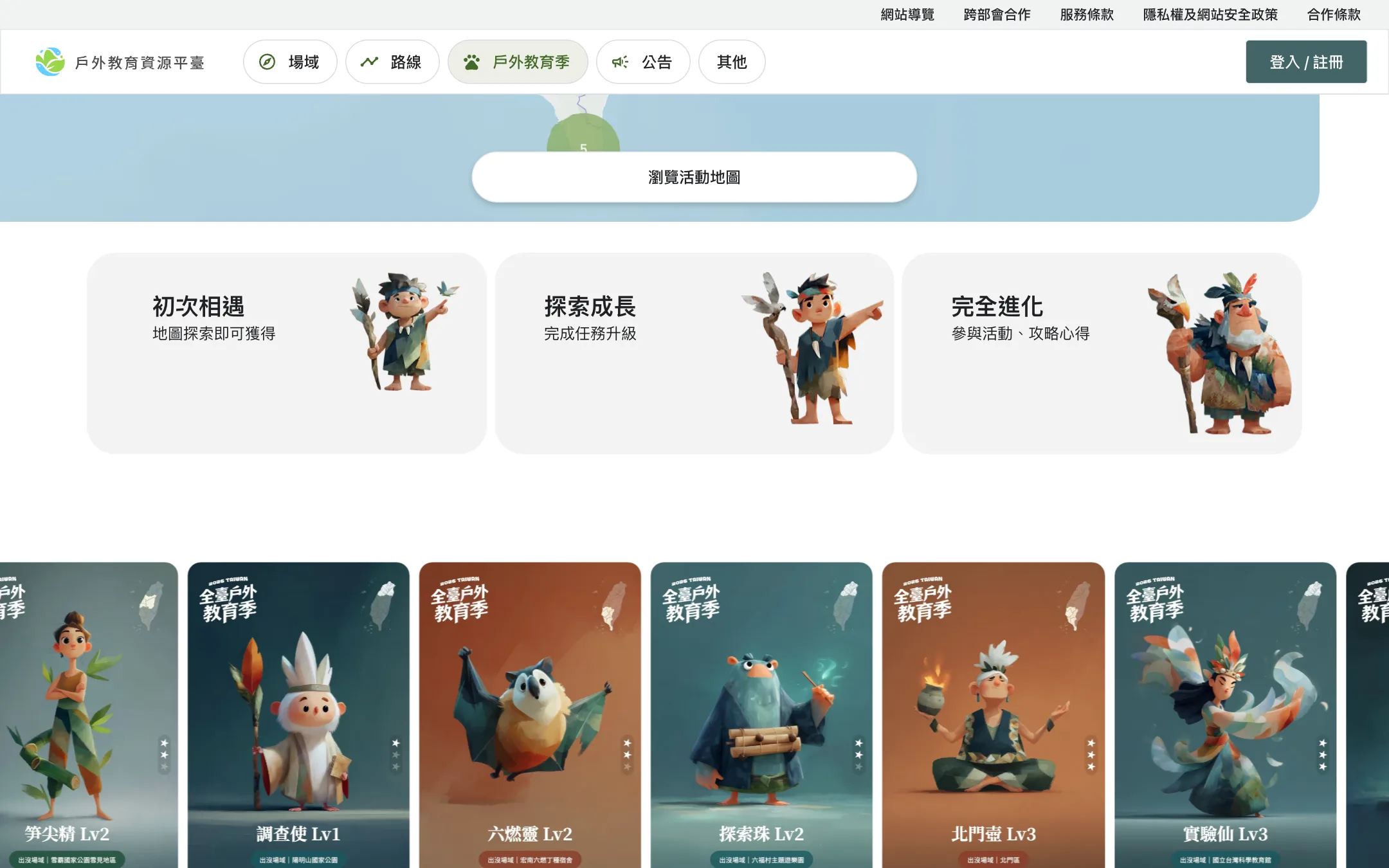
The character table records the venue ID, and the venue name on a card is looked up from the venue table at output time, so renaming a venue means editing one place. The W3C's Data on the Web Best Practices recommend that items in a dataset use persistent URIs as identifiers so that the items can be linked to data about the same place, person, or event in other datasets. The IDs here are internal to the campaign and have no URL form, but the principle is the same: the same course and the same venue are referred to by the same identifier in every table.
Featured courses and the weekly calendar
The last column of the survey lets each organization mark recommended highlights, and that column is the basis for choosing featured courses. The script first allocates slots in proportion to each area's course count, with at least one per area, and then picks the highest-scoring course from that area's candidates one at a time. A recommended highlight adds points first, and scores are then adjusted for the distribution of venues, types, and source organizations, which spreads the featured courses across different venues, themes, and organizations.
The marks for the selected courses are written back to the mapping table, and the matching characters are always set to the highest rarity. The schedule is stored separately as a weekly calendar in which each row records the course, source organization, character ID, open date, end date, and open week number. The back end keeps the calendar as date ranges plus a list of course IDs. When the front end requests this week's featured courses, the server finds the range that contains the current date in Taiwan time and returns that week's courses with the matching characters. How the weekly rhythm works together with the raffles is covered in the participation rhythm of a 22-week campaign.
Announcements and shareable copy
The campaign ran 22 weeks, so the announcements were laid out as a single overview before launch, about 37 in all, each with a publication date and a channel, and with fields that depend on actual data marked in red.
| Category | Count | When published |
|---|---|---|
| Pre-campaign announcement | 1 | Teaser before launch |
| Milestone announcements | 6 | Launch, first featured courses open, summer special, mid-campaign ranking, final countdown, campaign end |
| Weekly raffle results | 21 | Weeks 2 through 22, published by 9 p.m. every Friday |
| Monthly raffle bonus previews | 5 | One each for April through August, with results included in the weekly raffle results |
| Prize claims and administration | 4 | Claim process, ranking review, final ranking results, reminder for unclaimed prizes |
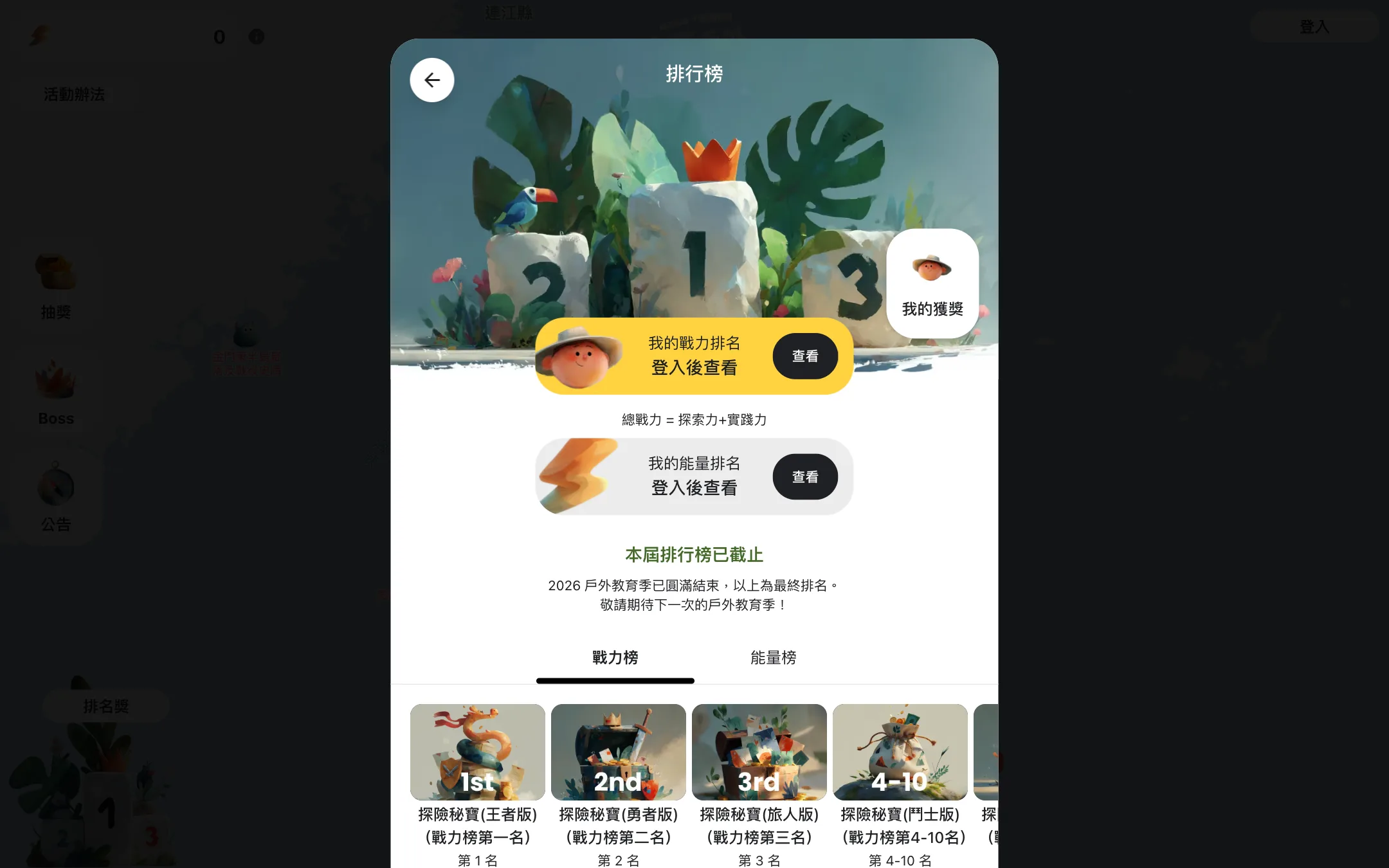
Copy for the organizations that help republish is also written in advance. The base is an activity description with a fixed structure, in this order: campaign information, highlights, prizes, steps to join, and contact information. It is then rewritten into versions for the website, the email newsletter, social posts, and other channels. Each ministry also has its own post that opens with its venue count and types: 30 national parks and nature reserves for the National Park Service of the Ministry of the Interior, for example, and 10 forest recreation areas and nature education centers for the Forestry and Nature Conservation Agency of the Ministry of Agriculture. The figures match the ownership summary. Outward-facing text always says over 180 venues and over 470 courses, so the same figures appear wherever an organization republishes it.
Row-by-row validation before import
The master workbook has four worksheets (venues, courses, characters, and quiz questions) that a Node.js script imports in that order, with each one linking to the IDs of the one before. Every import script runs in two passes. The first pass validates row by row and collects all errors; if any row fails, the whole batch stops and lists the row numbers and reasons. Only when everything passes does the second pass write rows one at a time, so a failed validation leaves the database without a single row written.
- Read the worksheetConvert rows to records in column order
- First pass: validate row by rowCollect every error without stopping at the first one
- All rows passSecond pass: write row by rowFill in the creation time and status columns at the same time
- Any row failsThe whole batch stopsList the row numbers and reasons; the database stays as it was
| Worksheet | Checks and handling in the first pass |
|---|---|
| Venues | ID, name, address, map link, area, owning organization, and verification area are required; the area must be one of the five; IDs must be unique; the address must resolve to a county or city and a district |
| Courses | ID, venue ID, name, category, and description are required; the venue ID must already exist; IDs must be unique; dates are converted to YYYY-MM-DD; weekdays and tags are converted to JSON arrays |
| Characters | Course ID, name, and the three-part dialogue are required; rarity and the value for each stage must be integers of 0 or more; the course and venue are linked through the course ID |
| Quiz questions | The character ID must already exist; the level must be 1 or 2; the answer must be A, B, or C; a character-and-level pair cannot repeat |
Data changes and how the front end queries
All of the scripts can be rerun. A rerun reads the original worksheets, writes the master workbook, and checks each course one by one: the venue exists in the venue table, the start and end dates fall between April 1 and August 31, and every course has an ID and tags. Anything that fails is listed. Bulk changes are made in the master workbook followed by a rerun, while individual fields are edited one at a time in the admin, and each edit records the operator and what changed.
The map queries venues by the coordinates of the four corners of the visible area and returns the courses and characters in each venue at the same time. The filters are county or city (including town and district), month, weekday, theme, and ministry, and keyword search covers venue name, course name, description, tags, and owning organization. Whether a course is open is judged on the server using the current date in Taiwan time, and courses that have not started are labeled as opening soon.
Character cards are generated one by one from the master workbook by a headless browser launched with Playwright. File names combine the character ID and level, and the cards are regenerated after course data is updated. When the campaign ends, the screens switch automatically to the closing version, and the map and the character collection stay open for browsing. How this kind of repeatable cleanup and checking becomes acceptance evidence on a public-sector project is covered in delivery and maintenance evidence for public-sector projects.

When this approach does not fit
- A single organization with a few dozen courses or fewer: a spreadsheet with manual checking is enough.
- Content that must appear word for word as written, such as legal text or the original wording of a notice: the cleanup rules unify spelling, so this approach does not apply.
- A campaign with no map and no on-site verification: venue merging and coordinate work can be reduced a great deal, though the header and ID scheme are still needed.
What to prepare before starting
Five things need to be in hand: the list of participating organizations with a contact for each, the header columns to standardize, the campaign period and the featured courses each organization wants to promote, whether the map needs on-site verification, and the basis for the figures used in outward-facing copy. Once all five are ready, the conversation can start at data and platform planning for a cross-organization campaign.