


When a GLB file is too large and a phone cannot run the scene, the vendor asked to optimize it will report a figure for how much was saved. That figure might be file size, download size, or memory after loading. These are three different measurements, and the figures often move in opposite directions.
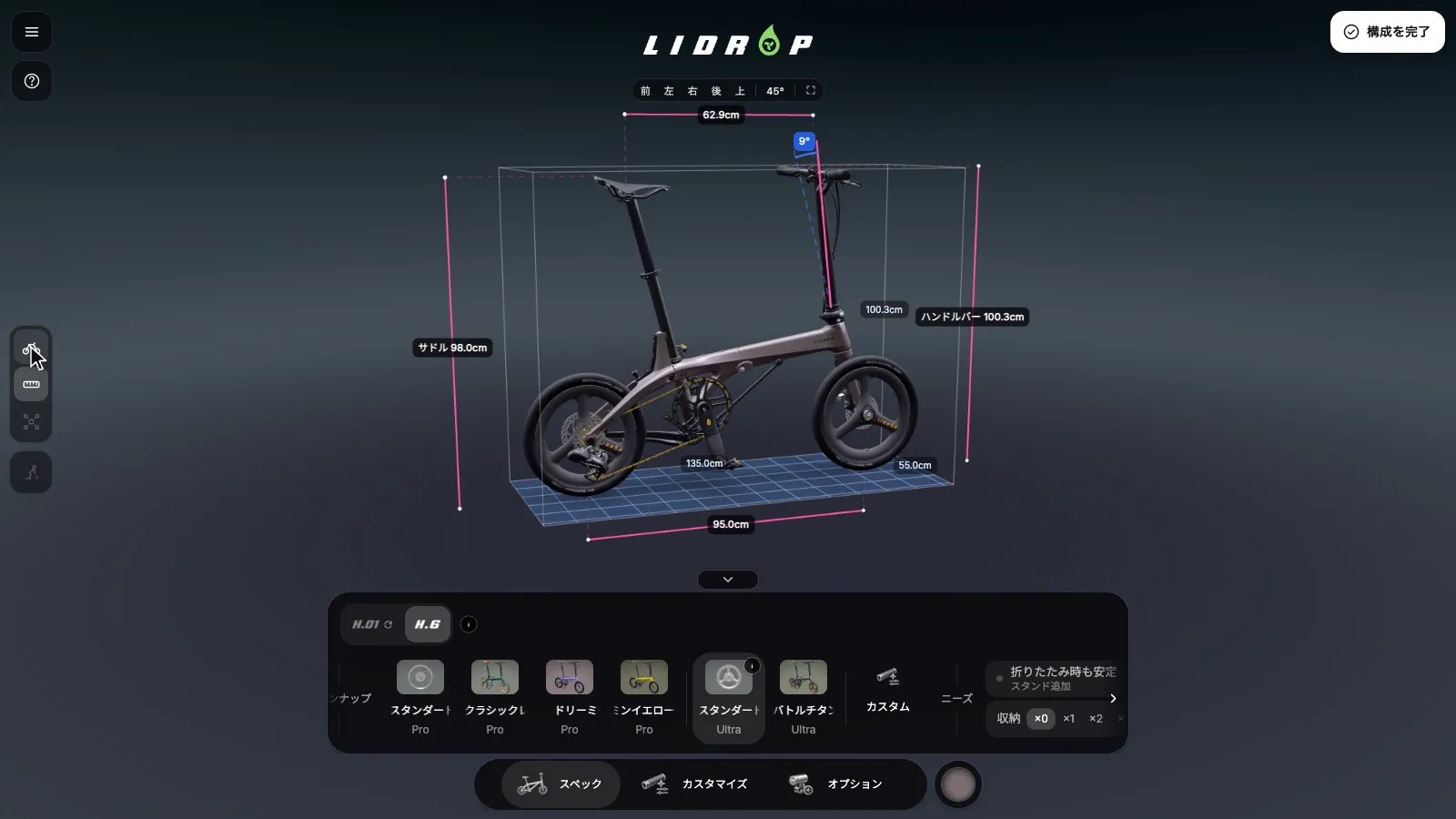
Below are before-and-after figures from the LIDROP 3D configurator and the 3D city on the Chyihaur home page. Each row states what was measured, how it was measured, and its scope. The LIDROP project as a whole is covered in Building a 3D Configurator for a Folding Bike.

Two caveats. Unless noted, every figure was measured on a desktop machine (M1 Pro) and does not translate directly to phones. LIDROP has two measurement scopes, the download size of the 7 first-screen GLB files and the download size of the whole first screen, and the two cannot be added together or compared side by side.
The smallest download is not the smallest memory
The LIDROP first screen loads 7 GLB files. The team re-compressed the modeler's original files three ways: meshopt, qdraco (in this project, quantized Draco), and plain Draco. Plain Draco had the smallest download at 16.31MB, followed by qdraco at 21.18MB and meshopt at 26.32MB.
After decoding, the order reverses. The geometry that goes into the GPU is 52.18MB for meshopt, about 52MB for qdraco, and 96.86MB for plain Draco, about 1.86 times either of the other two. Plain Draco decodes vertex positions to Float32, while the other two use Int16. When phone memory is tight, decoded size matters more than download size, so the team did not choose plain Draco. It settled on qdraco: a download 19.5% smaller than meshopt, with no increase in GPU geometry.
- 26.32MBmeshopt52.18MB
- 21.18MBqdracoChosenabout 52MB
- 16.31MBplain Draco96.86MB
LIDROP first-screen 7 GLB files. GPU geometry is estimated from the GLB contents and excludes textures.
This GPU geometry figure covers only the geometry of those 7 first-screen files. It excludes textures and is estimated by parsing the GLB contents. All three encodings were re-compressed from the modeler's original files, which is what makes the comparison hold up.
Before and after, row by row
Each Before and After pair is measured the same way, so figures should not be added across rows. The How measured column notes the method and scope of each row.
| Subject | Metric | Before | After | How measured |
|---|---|---|---|---|
| LIDROP, 7 first-screen GLB files | Download size | meshopt 26.32MB | qdraco 21.18MB (19.5% smaller) | All three encodings re-compressed from the original files. Plain Draco is 16.31MB |
| Same as above | GPU geometry (after decoding, excluding textures) | meshopt 52.18MB | qdraco about 52MB; plain Draco 96.86MB | Estimated by parsing GLB contents |
| LIDROP H6, whole page | First-screen download size | 36.5MB | 32.5MB | Measured after the build by reading resource-load records in a headless browser and grouping the records by file extension (GLB is about 80%). Changes: shrink the placeholder color images that get replaced, lower the resolution of one texture, and defer loading one data file |
| Chyihaur home page 3D city | GPU texture memory: 8 textures reduced from 4096 x 4096 to 2048 x 2048 (WebP quality 80) | about 681MB | about 170MB | Calculated with the formula textures x edge² x 4 bytes x 4/3 (mipmap) |
| Same as above | Texture download size | 3.38MB | 2.84MB | Texture file size |
| Same as above | GPU memory: after switching to KTX2 (ETC1S, with mipmaps) | about 170MB | about 30MB | Estimated; these textures are already in the production release. The two steps combined go from about 681MB to about 30MB |
- 8 textures at 4096 x 4096about 681MB
- Reduced to 2048 x 2048about 170MB
- Then switched to KTX2about 30MB
GPU texture memory of the 3D city on the Chyihaur home page. Figures are estimates, and these textures are already in the production release.
Second table: a building model
This table comes from the property-viewing website co-developed with Mxm. The original modeling file has about 34 million vertices, 49 million faces, and 19,000 objects, with no lights or cameras.
| Subject | Metric | Before | After | How measured |
|---|---|---|---|---|
| A building model | Tower shell face count (shape-preserving reduction) | about 2,400,000 faces | about 700,000 faces | Counted by script; vertices welded first (1.5mm), then dissolved by angle (threshold 0.75° to 2.5°) |
| Same as above | Interior panoramas | about 60 images at 6000 x 3000, about 300MB original | 4096 x 2048 WebP plus a 512 x 256 base image, about 15MB total | Total file size |
| Same as above | About 800 plants | about 3GB in the original render file format | about 50KB of input | File size; the plant models are not loaded, and instances are generated on the fly from marker points |
Two scopes of download size cannot be compared side by side
- Download size of the 7 first-screen LIDROP GLB files: 26.32MB to 21.18MB.
- First-screen download size of the whole LIDROP page: 36.5MB to 32.5MB, with GLB at about 80%.
The two differ in both scope and method. The first counts only the files of the 7 GLBs, while the second covers every resource loaded on the first screen of the page, of which GLB is only a part. The two figures cannot be added together or compared side by side.
Compression and measurement practices
Compare from the original files
To compare encodings, re-compress each one from the modeler's original files. Compressing an already compressed file again, or converting between two encodings, stacks quantization, and the resulting numbers say nothing about the encoding itself.

List manual fixes before re-compressing
Manually fixed material settings, such as switching a material from blend to mask or deciding which materials are double-sided, get overwritten with defaults when a file is re-compressed from the original. List the manual fixes before re-compressing, then check each fix one by one afterward.
Wait for the scene to load, and measure both the tab and the GPU process
While loading, the canvas is smaller and the numbers read low. Confirm the scene has finished loading before measuring (canvas width equals window width times pixel ratio). The tab memory figure in Chrome also leaves out the GPU process, so measure both.
Measure on a real GPU
Headless browsers default to software rendering, which fully expands KTX2 compressed textures and inflates the memory numbers. Measure memory on a real GPU.
Confirm pixels are the bottleneck before lowering the pixel ratio
Temporarily lowering the pixel ratio during interaction sounds reasonable, but it helps only when the scene is bound by pixel count. Measure whether the bottleneck is pixels, draw calls, or triangle count before deciding to change anything. If pixels are not the bottleneck, switching back and forth is itself an extra cost.
- Consider lowering itTemporarily, during interaction
- Measure the bottleneckPixels, draw calls, triangles
- Pixels are the limitLower itLowering helps
- Pixels are notLeave itSwitching is an extra cost
The scope of these figures
The GPU figures in the tables are estimates, and desktop figures cannot be converted directly to phone figures. Memory on real phones has to be measured separately on the target models.
The tables list no fps, because frame rate depends on the device, browser, resolution, and scene, and a figure from a single desktop machine cannot represent real user experience. A headless browser by default manages only 1 to 3 frames per second, and the animation loop also freezes when a browser tab is hidden. If a vendor quotes a percentage improvement in frame rate, have the vendor state the device, browser, resolution, and scene.
How optimized models become a path buyers can finish is covered in the path of a 3D property showroom.
When compression is not the answer
In these cases, do not spend money compressing the model yet:
- The model is already light, or most of the file is texture. Geometry encoding changes only geometry, so for parts dominated by textures, switching geometry encoding makes no difference.
- The problem is in the scene's draw calls or the code. When the bottleneck is there, neither a lower pixel ratio nor an even smaller model file will fix it.
- The client requires every detail preserved, such as high-precision surface textures. A high-compression texture format (ETC1S) can introduce color shifts, and textures that need accurate color can use UASTC instead, which has higher quality and larger files. When every detail is required, there is little room to compress, so agree on an acceptable color shift first.
Confirm these points before trusting a vendor's figures
Other points to check when choosing a vendor are covered in Evaluating a Software Vendor: A Scorecard and Pre-Contract Checklist. For vendor figures like these, confirm the following first:
- Confirm whether the figure is file size, download size, or memory after loading.
- Ask the vendor to state the scope: a single file, the first screen, or the whole page.
- Confirm the device the figure was measured on (desktop, real phone, or emulator) and whether the GPU process was measured.
- Ask the vendor to state whether the comparison starts from the original files or from already compressed files, and whether image quality and manual fixes were checked.
- If a frame rate is given, ask the vendor to list the device, browser, resolution, and scene.
To find out whether a GLB is worth compressing, or to check how an optimization report was measured, send the team the file, the target device, and where things are stuck. 3D web development starts with measurement and then decides whether to change anything.