




As part of a Ministry of Education project, the development team built the campaign platform for the 2026 Taiwan Outdoor Education Season, and planning, design, and development were completed in under 2 months. The campaign ran from April 1 through August 31, 22 weeks in all, and covered more than 180 venues and more than 470 courses. Everything runs in the mobile browser, with no app to download. The front end uses Nuxt and Mapbox GL JS for the interactive map. The back end is Express on Node.js with a relational database, and scheduled jobs handle reconciliation, rankings, and prize drawings.
The general rules for reward accounting and abuse prevention are covered in a separate article, ledger integrity, abuse prevention, and budget controls for prize campaigns. The full build scope is described under campaign platform and admin development.
How a player action becomes a score
The browser sends only the player's action: collecting a character, answering a quiz, sharing a card, verifying on-site arrival, or submitting a write-up. A request that needs a login carries a login token. The server checks the login and the event status first, reads the character's current progress, and writes a result only when the conditions are met.
Every point earned becomes one row in the energy ledger. A row holds the user, the year, the source type, the energy amount, and the related character. There are nine source types, and the ledger is indexed by user and year. A player's energy total comes from summing the ledger, and the summary field is recalculated after each posting. Character progress is stored in fields on each character: whether the quiz was passed, whether each stage has been shared, whether on-site verification is complete, and the write-up ID.
Campaign server
- APIChecks login and event status, reads and writes character progress and the energy ledger
- SchedulerHourly rankings, reconciliation every 6 hours, Thursday notifications, and Friday prize drawings
The player's mobile browser
- Nuxt front endMap, course, and character pages; a side panel at 1,000 pixels wide and above
- Browser storageLogin token, plus the companion and invitation code chosen before login
Map service
- MapboxSupplies base map tiles; the front end draws venue markers and clusters as map layers
Stays on the serverDistance calculation, cooldown checks, level-up conditions, and scoring. The browser sends only coordinates and actions.
Scope: the data flow from a player action to scoring.
Browser storage holds the login token, along with the companion and invitation code a player picked before logging in. The companion page draws one character at random from the character list in the front end, and the player can draw again. The chosen companion stays in the browser until login, when it is written to the account, and it cannot be changed once the account is set. How course data from 10 ministries is merged into one set is covered in merging and numbering course data.
On-site verification: coordinates, distance, and cooldown
A player taps the verification button on the course page. The front end calls getCurrentPosition() once and sends the resulting latitude and longitude to the server. A denied permission and a failed location lookup each show a separate message, and the player can retry immediately.
This approach follows the way the browser standard itself divides the work. The W3C Geolocation specification, currently a Candidate Recommendation Draft, defines getCurrentPosition() for a one-time position lookup and watchPosition() for continuous reports of position changes as two separate methods. It also requires the user's explicit consent before a position is handed to a web application (Cáceres and Grant, 2026). MDN adds that calling getCurrentPosition() triggers a permission prompt and that the feature is available only in secure contexts (HTTPS) (MDN documentation for getCurrentPosition). The specification's privacy section recommends requesting location only when needed, using it for the original task, and deleting it afterward unless the user explicitly allows it to be kept.
The server computes the distance between the submitted coordinates and the venue with the Haversine great-circle formula, using an Earth radius of 6,371 kilometers. Beyond 500 meters, the reply asks the player to move closer and try again. Within 500 meters, the server checks the cooldown next. The cooldown depends on the distance between this verification's coordinates and the previous one, and it has nine levels from 1 minute to 60 minutes. The farther apart the two points, the longer the wait, so two venues far from each other leave enough time between verifications to travel from one to the other.
- Check login and event timeNot logged in or event over: reply with the matching message
- Check character progressCollected, at Lv2, verification not yet done, coordinates are numbers
- Calculate the distance to the venueHaversine formula, Earth radius 6,371 kilometers
- More than 500 metersNo pointsReply asks the player to move closer and try again
- Within 500 meters, interval shorter than the cooldownNo pointsReply gives the number of minutes to wait
- Within 500 meters, cooldown passedRecord the arrival and post 20 pointsThen recalculate the summary and check for a level-up and badges
Scope: the order of checks in on-site verification.
Once a check passes, the server marks the character as visited, posts 20 energy points, recalculates the summary, and then checks whether a level-up or a badge condition has been reached. The cooldown is measured from the previous request, so the server keeps the coordinates and time of every verification request. Each verification is a one-time reading that the player starts by tapping the button, with no background tracking. The campaign rules state that raw coordinates are deleted within one year after the campaign ends. A player whose verification fails because of the device or the surroundings can photograph a venue sign and ask customer service for manual verification.
Scoring: the energy ledger, level-up conditions, and badges
A character has three stages. After every action, the server runs the same level-up check and promotes the character one level once the conditions are complete. Actions within a stage can happen in any order.
| Level-up | Actions required | Points posted per action |
|---|---|---|
| Obtain the character (Lv1) | Collect the character that matches a course on the map | Collect: 5 points |
| Reach Lv2 | Pass the first quiz question and share the card | Quiz: 3 points, share: 2 points |
| Reach Lv3 | Pass the second quiz question, share the card, complete on-site verification, and submit a write-up | Quiz: 3 points, share: 2 points, on-site: 20 points, write-up: 30 points |
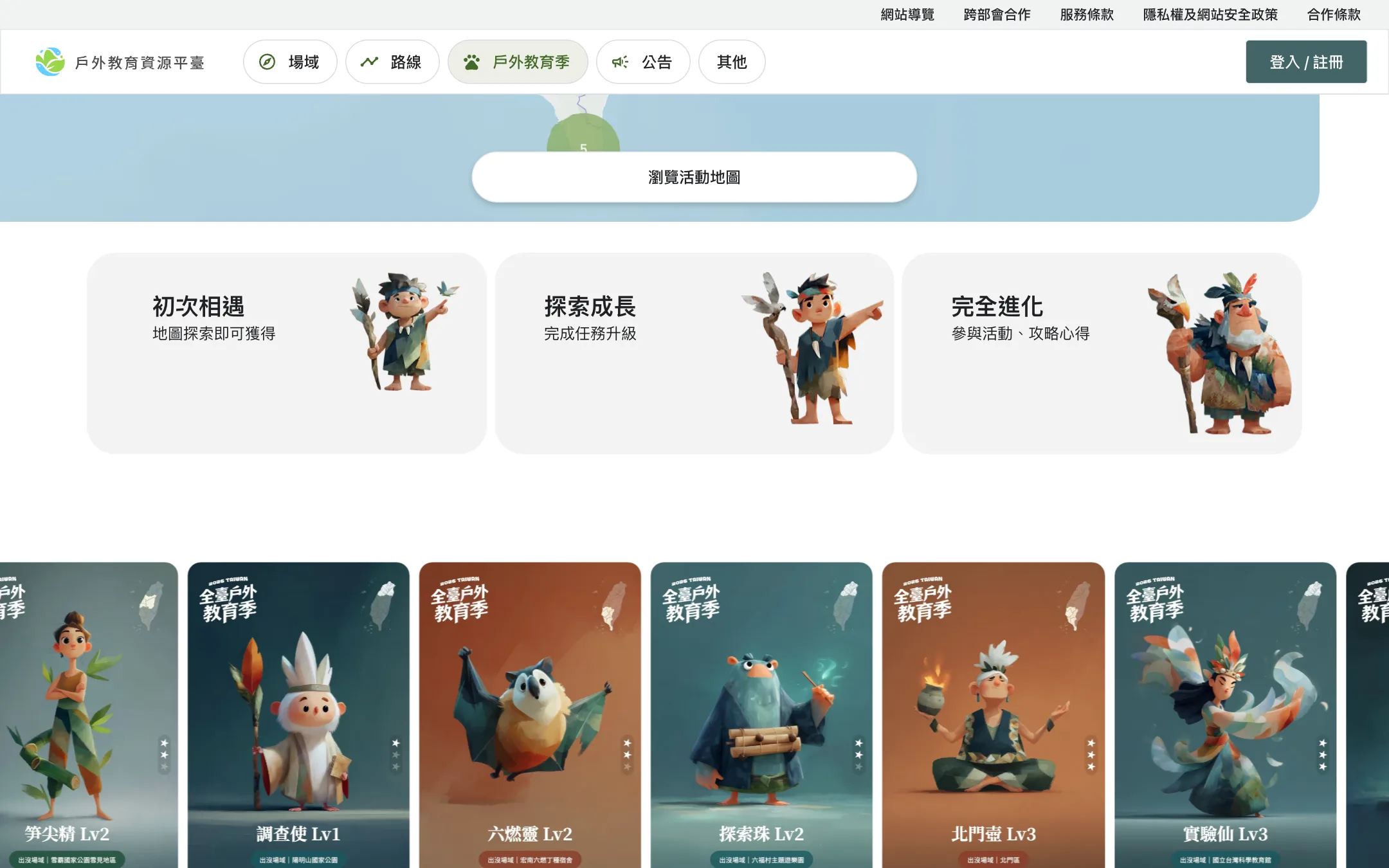
At collection and at each level-up, the character's two ability stats are each multiplied by its rarity and added to the player's totals. The two stats combined form the score on the power ranking, and the score on the energy ranking is the energy summary total.
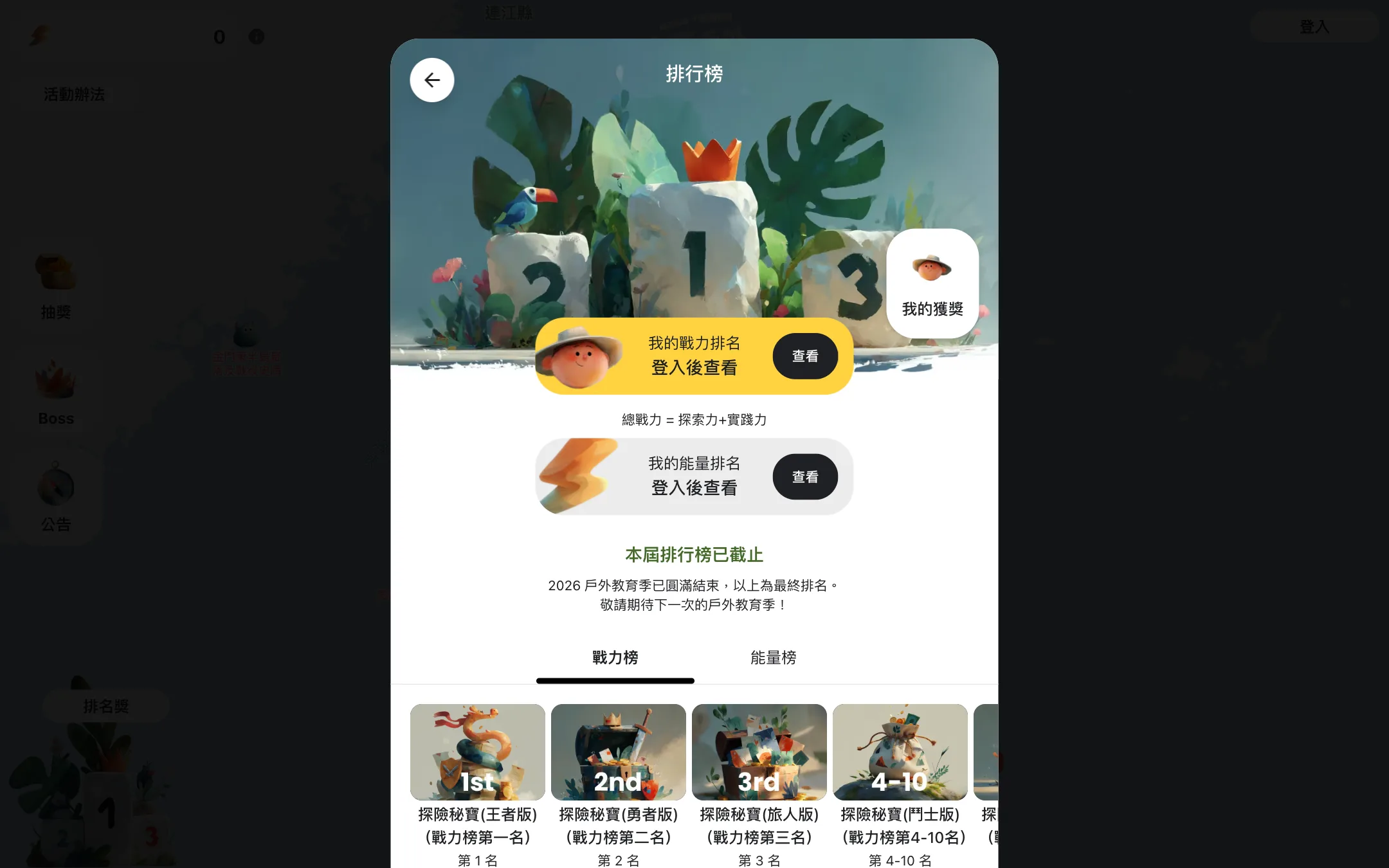
There are 30 badges in three categories: 21 for collecting, 4 for missions, and 5 for friends. By trigger, 24 are milestone badges and 6 are cumulative badges. A milestone badge is awarded once, when its condition is met, and carries between 20 and 2,000 energy points. The award is written with a uniqueness constraint on user and badge ID, and points are posted only when a new row was actually inserted, so a repeated trigger of the same badge does not post a second time. A cumulative badge records a running count, and its energy is posted at the moment of each action.
Badge effects have been studied. Hamari ran a two-year field experiment on a peer-to-peer trading platform: in the first year 1,410 users had no badges, and in the second year 1,579 users did. The group with badges made more trade proposals, completed more trades, and left more comments (Hamari, 2017). A review of empirical gamification studies found that the effect depends heavily on the context and the users (Hamari et al., 2014). Neither study concerns outdoor activities, so only the design direction carries over here.
Energy then converts to raffle tickets at 1 ticket per 100 points, rounded down, and the number of tickets held is the weight in the prize drawing.
Scheduled jobs: rankings, reconciliation, and prize drawings
Scheduled jobs run in the Taipei time zone. Four timed jobs support scoring and the weekly calendar.
| Job | Time | What it does |
|---|---|---|
| Ranking snapshot | Every hour, on the hour | Recalculates the energy and power rankings, overwrites the current ranks, and saves a historical snapshot |
| Reconciliation | Every 6 hours | Recalculates each player's energy summary from the ledger, checks that every milestone badge has its matching energy posted, and corrects the counts on cumulative badges |
| Featured course notification | Thursdays at 10:30 | Sends the week's featured courses according to the weekly schedule table, only to players who enabled notifications |
| Prize drawing | Fridays at 20:00 | Reads the week's prize settings and draws winners weighted by ticket count |
Ranks are sorted by score from high to low, and when scores tie, the player who reached the score earlier ranks higher. The leaderboard reads a precomputed top 100, so a query does not have to sort every player. The middle of each name is masked with asterisks, and the board can be viewed without logging in. The last snapshot after the campaign closed was taken at 00:00 on September 1, and the final ranking follows that snapshot.
A drawing starts by reading the week's prize settings and expanding the settings into a list of slots: 75 slots a week, plus 3 more in month-end weeks. The job then draws winners weighted by ticket count and removes each winner from the pool as drawn, so one player wins at most one prize in a week. After all winners are drawn, the prize order is shuffled, which pairs winners with prizes at random in a single step. Energy prizes are written straight into the ledger by the scheduled job, and the summary is updated.
The weekly schedule table decides each week's featured courses. It has one entry per week that records the start and end dates and the course IDs, 21 entries in all from week 2 through week 22. Weeks 2 through 20 have courses, from 1 to 13 per week. Both the featured-courses window on the map page and the Thursday notification email pull data according to which week today falls in.
- WeeklyFriday 20:00One set a week
- Month-end5 extra drawings
Drawn from the weekly schedule table and the drawing settings. Each cell is one week, and marks sit at the midpoint of the week. Week 1 has no drawing and no featured courses, and weeks 21 and 22 have no featured courses.
How the switch works when the campaign ends
The front end and the back end each store a copy of the deadline, both set to 23:59:59 on August 31, 2026 (Taipei time). The front end decides from the browser clock whether to show the closed version, which affects only what is displayed. On the server, the same event status check sits in front of five kinds of actions: collecting, answering a quiz, sharing a card, on-site verification, and submitting a write-up. After the deadline the server replies "The event has ended" and writes no record.

Logging in, browsing the map and courses, and viewing the leaderboard and personal records do not pass through this check, so those pages work as usual after the campaign ends. When the front end receives "The event has ended" it shows a notice, so a button does not stay unresponsive. The leaderboard can be viewed without logging in, and the rank ranges and prizes stay on screen as the public basis for the winning ranks. A different way to bring an offline event online and drive participation with points and invitations is described in moving an overseas education expo online.
Loading on phones: map clustering and image sizes
Venues across Taiwan are passed to Mapbox GL JS as a GeoJSON source with clustering enabled. The cluster radius parameter is 50, and clustering continues until the map reaches zoom level 15. Clusters come in four size tiers, with circle size and color changing by count. Venue markers and names are drawn on a map layer, so no individual venue creates its own page element, and the marker image is registered once and shared by all venues. The map is limited to the area around Taiwan, with a maximum zoom level of 18.
The venue list is fetched in one request and retried up to 3 times when the network is unstable. A venue's courses and write-ups are loaded only when that venue is opened. The weekday filter works inside the browser on courses already fetched, with no new query. To learn which courses a player has collected, the server runs one batch query for every course on the page and matches the results as a set, with no per-course queries. Data that changes rarely, such as filter options, is cached on the server for 10 minutes, and the front end keeps query results fresh for the same 10 minutes. At widths of 1,000 pixels and above the layout uses a left side panel, and below that it switches to a preview card at the bottom that expands when opened.

The character art totals 5,280 AVIF files in five sizes by use, and the back end returns five URLs for each character, which the front end uses according to the screen. The map and the course list use a preview image of about 2 KB, the large image of about 21 KB loads only when a character's detail page is opened, and the share card is about 44 KB. AVIF supports transparency and both lossy and lossless compression, and major browsers such as Chrome, Firefox, and Safari support it (AOMedia's description). Sizes and the output workflow are covered in the character system for large campaigns.
Image responses carry a cache lifetime of one year, so returning players use the browser cache directly. The front-end build removes prefetch links for images, and an image loads only when its img element is about to be displayed, so the 5,280 files are not all prefetched when a player arrives.
When this setup does not fit
- The campaign runs for less than a month. The design for hourly rankings, reconciliation every 6 hours, and weekly drawings goes unused, and a campaign page with a sign-up form is enough.
- The destination of the activity is not a physical venue. On-site verification needs venue coordinates, and a purely online campaign has no such step.
- There are no prizes and no ranking. The energy ledger and the ticket conversion can be dropped, leaving only collection and progress.
What to prepare before starting
- The campaign period and the deadline, and the screen to switch to at the deadline
- The venue list with coordinates, and the distance range that counts as arriving
- The actions required at each stage, and the energy points for each action
- The prizes, drawing times, and number of winners, and how rankings are calculated
- The rules for location permission, personal data, and prize drawings, to be confirmed by the organizer
Once these are in hand, talk through the campaign plan with POLISH by describing the campaign period, the venues, and the expected scale.