(Case study) Wind power・Polish 3D
A 3D scene explains the wind-power service range, with each service shown online during sales meetings
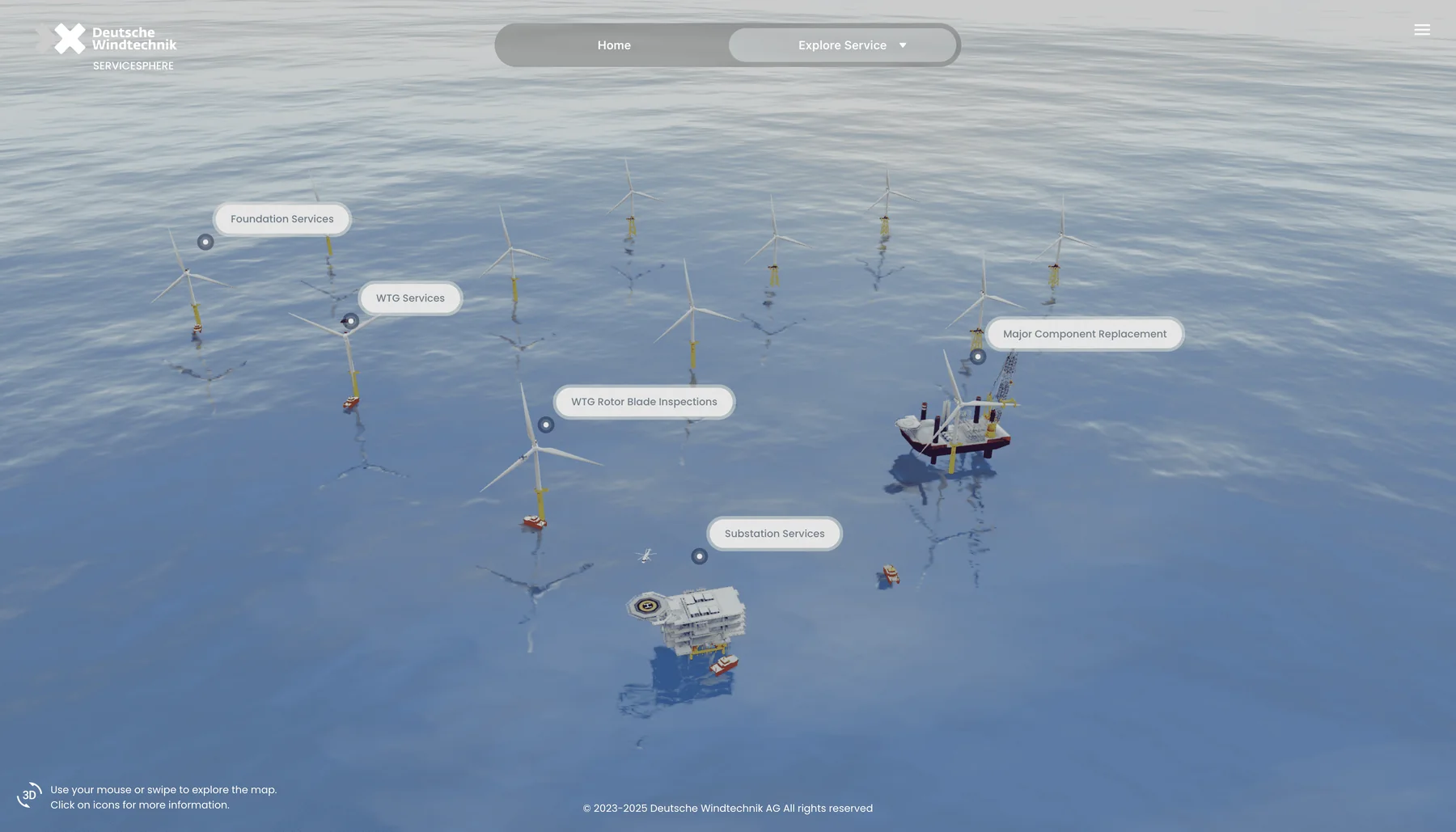
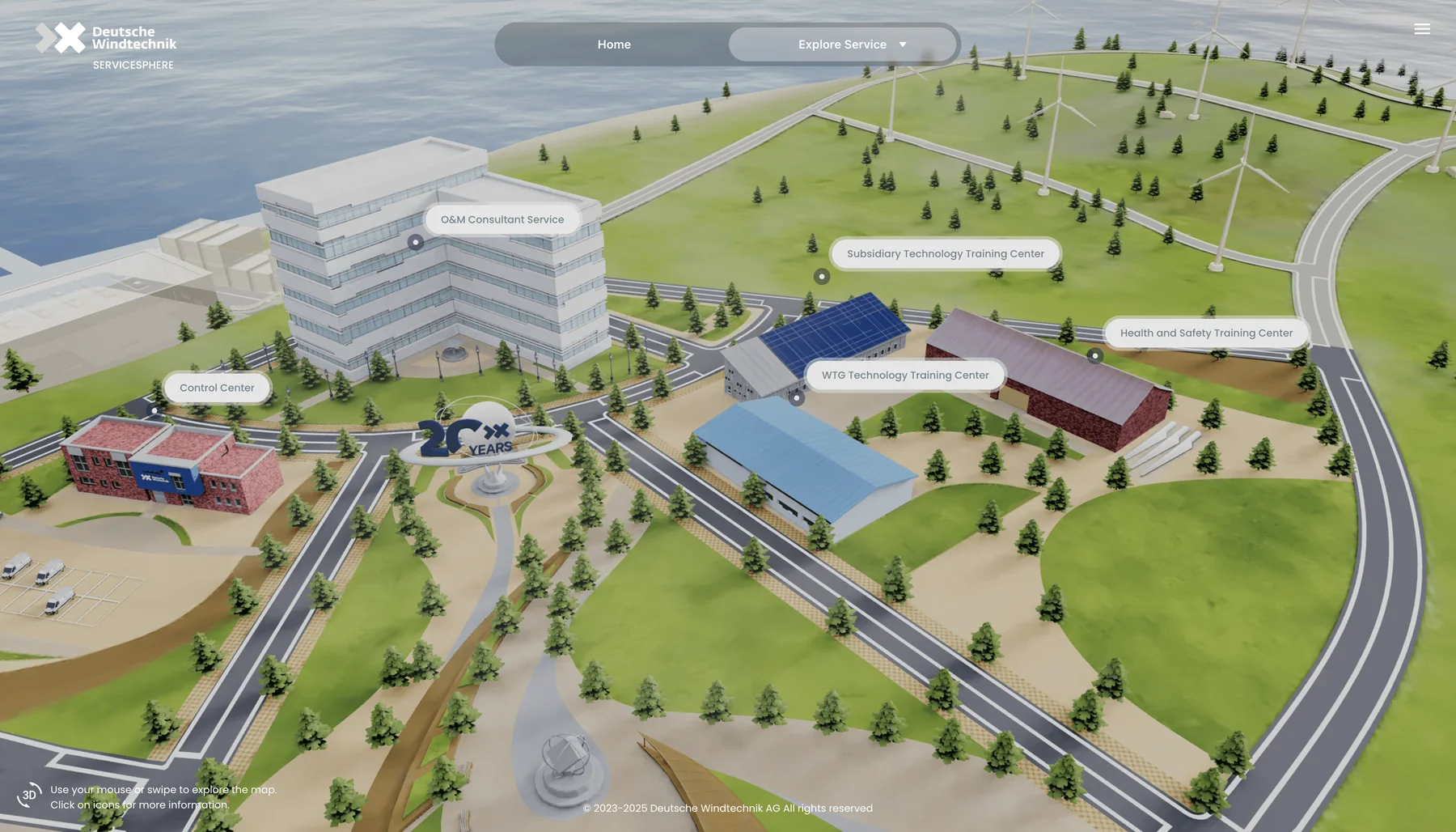
A wind-power service company needed a clear way to present the range of its services. Offshore turbines, an onshore substation, a training center and subsea cables share one island, visitors browse by dragging and clicking, and business development staff can explain more than 30 services online.

(Challenge)
Wind-power services need to be shown in realistic settings of use
Products aimed at professionals are usually presented online with technical detail up front. The company wanted a more direct way to present offshore wind operations and maintenance, personnel training and its other professional services, each placed in a setting that can be understood at a glance.
The equipment cannot be brought to a sales meeting, so the sales team needed a presentation that links each service to its intended use at once.
(Approach)
Context first: placing the services on one island
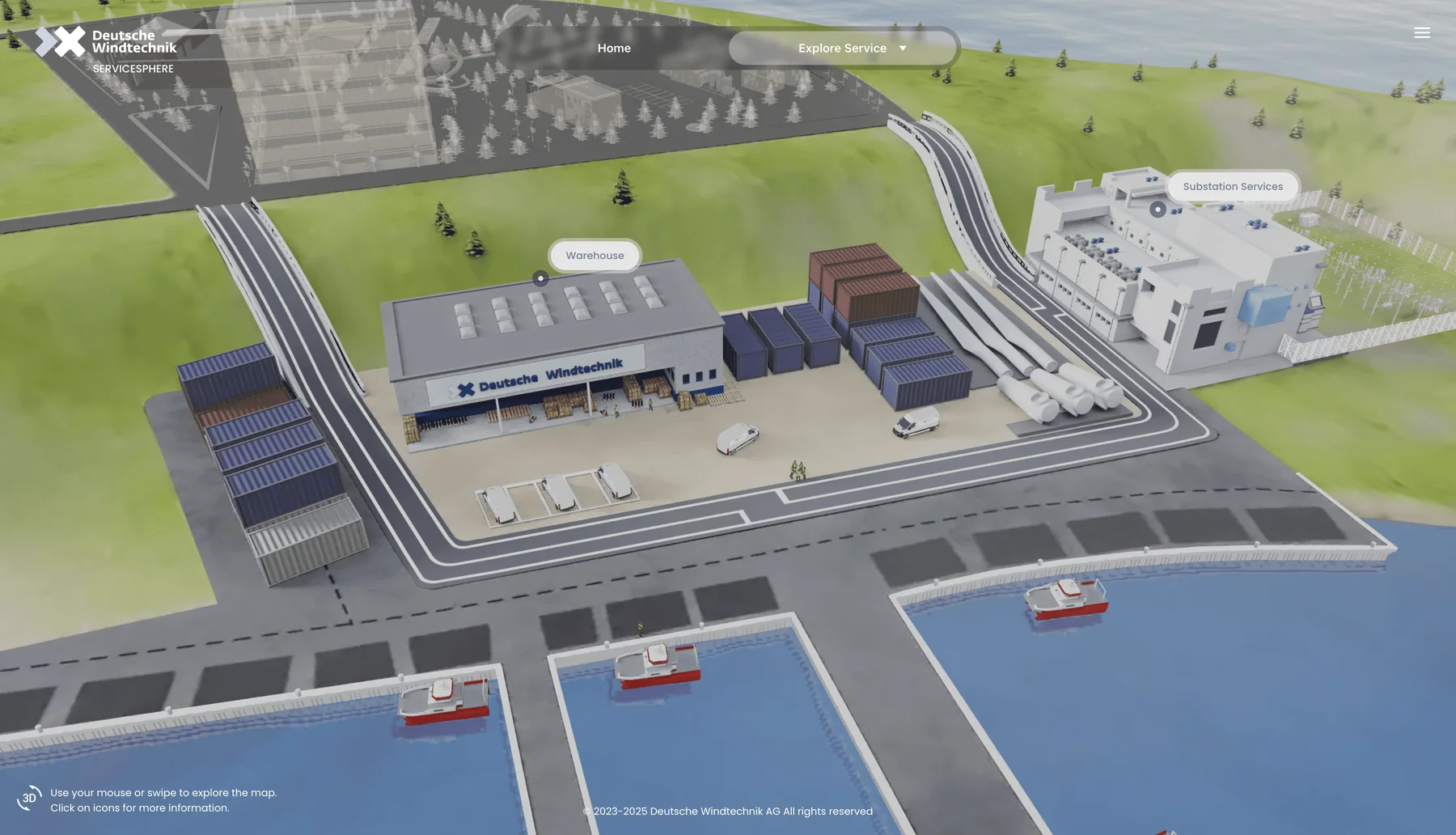
The approach puts context first: a 3D environment presents the services so that each product connects at once to its intended use. Because visitors may look for different services and applications, several environments were built for different sites of use, so every service appears in the setting that suits it best.
The client supplied materials for more than 30 services, which had to be optimized to keep browsing smooth. Five service zones were built from scratch and refined over several iterations, so each scene stays close to reality and to industry standards in wind engineering without being too literal.
Related method
The areas were modelled from scratch. Scanning real sites is a different route, and the conditions for choosing between the two are shown here.
- Confirm the purposeMarketing display, or measurement and semantics required
- Confirm how often content changesWhether a single scan stays valid for a long time
- Confirm the target devicesPhone tier of the main readers, and whether tiers are acceptable
- Measurement accuracy or semantic data such as BIM is requiredMesh and model data3DGS offers neither measurement accuracy nor semantics
- Content changes oftenMeshA scan goes stale, and 3DGS cannot swap parts one by one
- Real appearance matters, content is fixed, tiers are acceptable3DGS with tiers and streamingMerge-decimate the master, then build the LoD tree and chunks
- Most readers use low-end phones and tiers are not acceptableVideo or a prerecorded walkthroughNo dependence on real-time rendering on the user’s device
(Key design)
Three key designs
Multiple zones
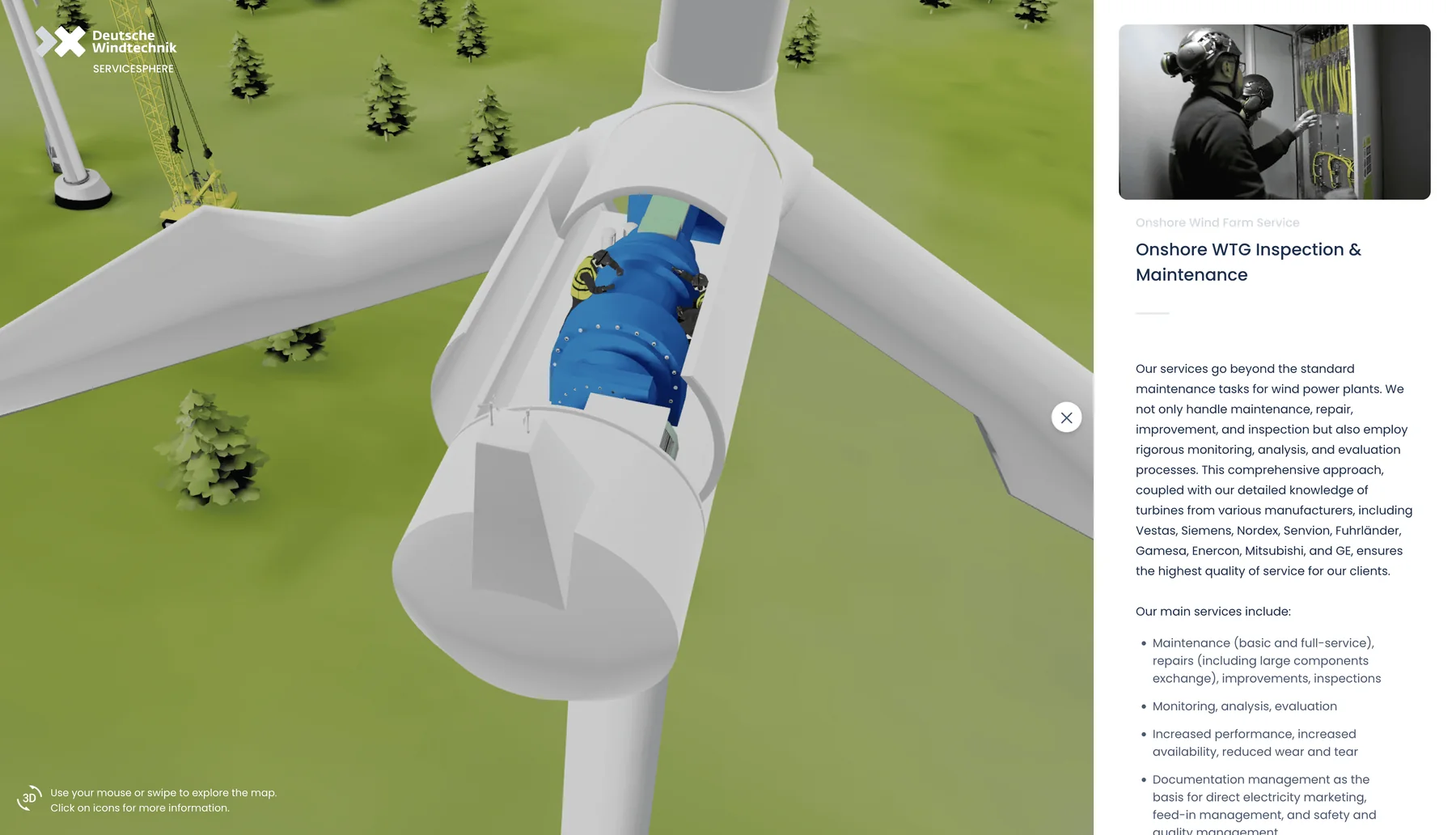
The island holds five service zones: land facilities, offshore wind, port, subsea and onshore wind. Each service appears in the zone that matches its use.
Focused navigation
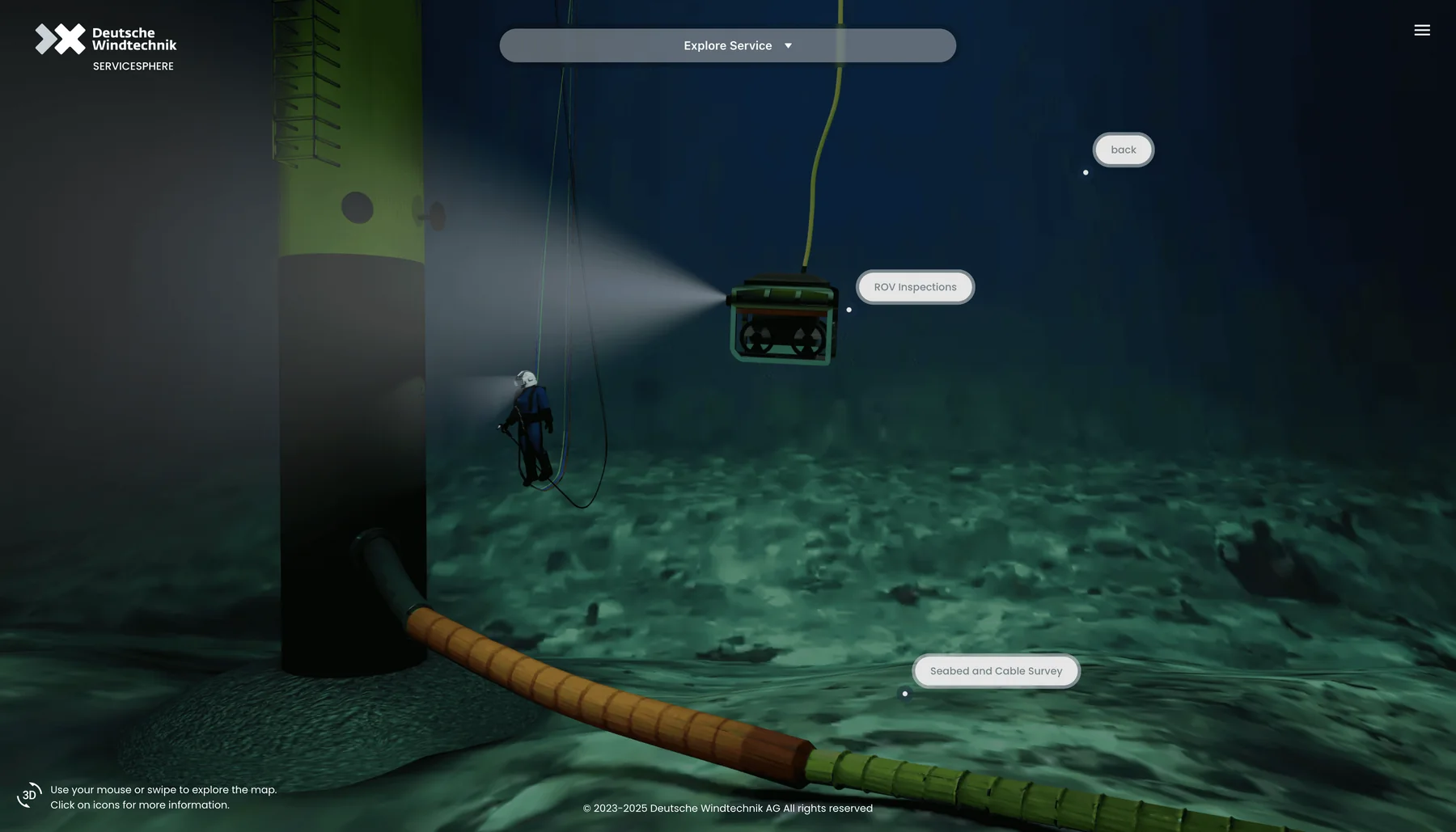
On entering any scene, the content of the other services turns transparent, so visitors stay focused on the current service and interact with it by clicking. Dragging and clicking are the only controls, so even a complex scene is easy to browse.
Service details
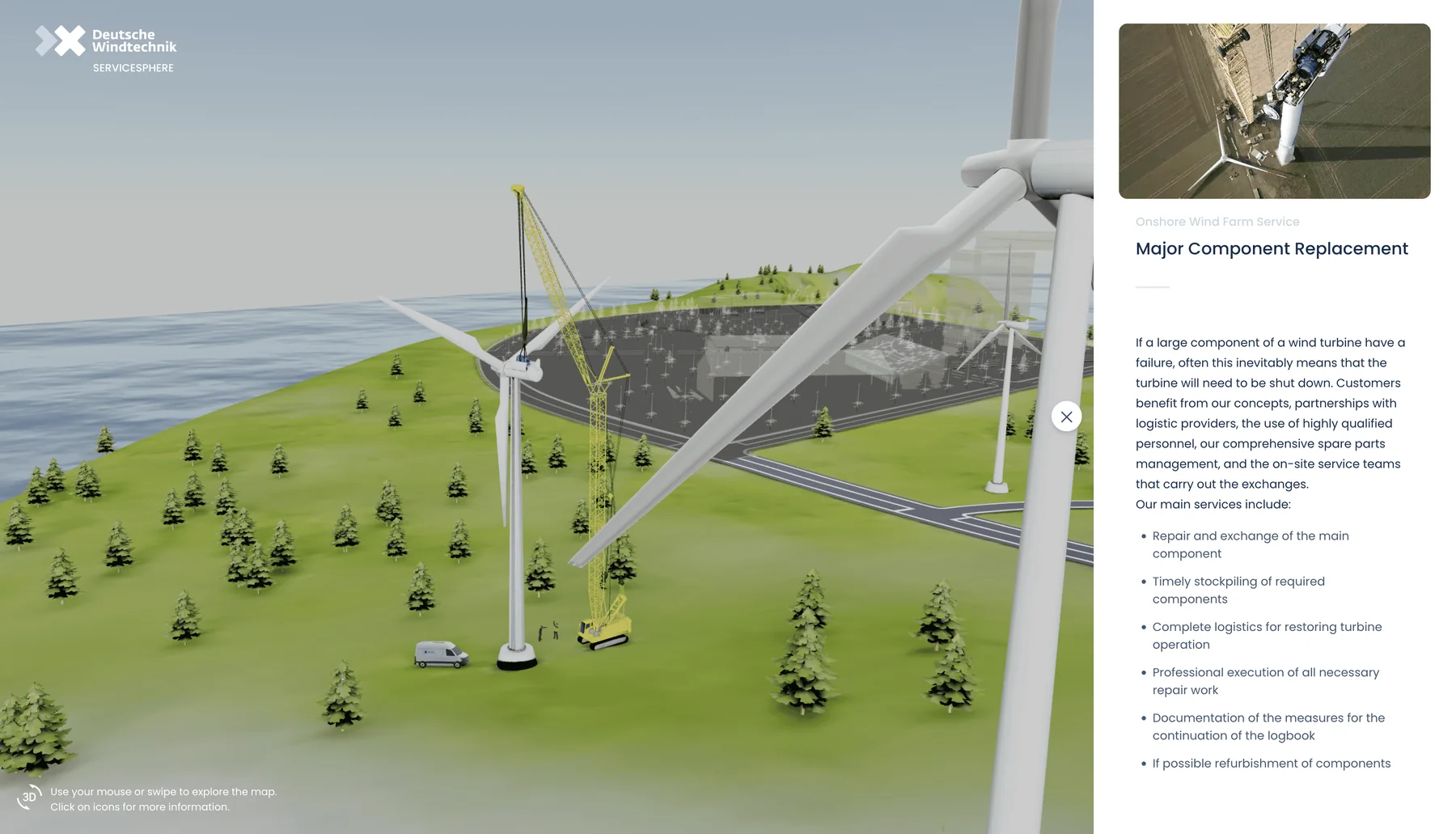
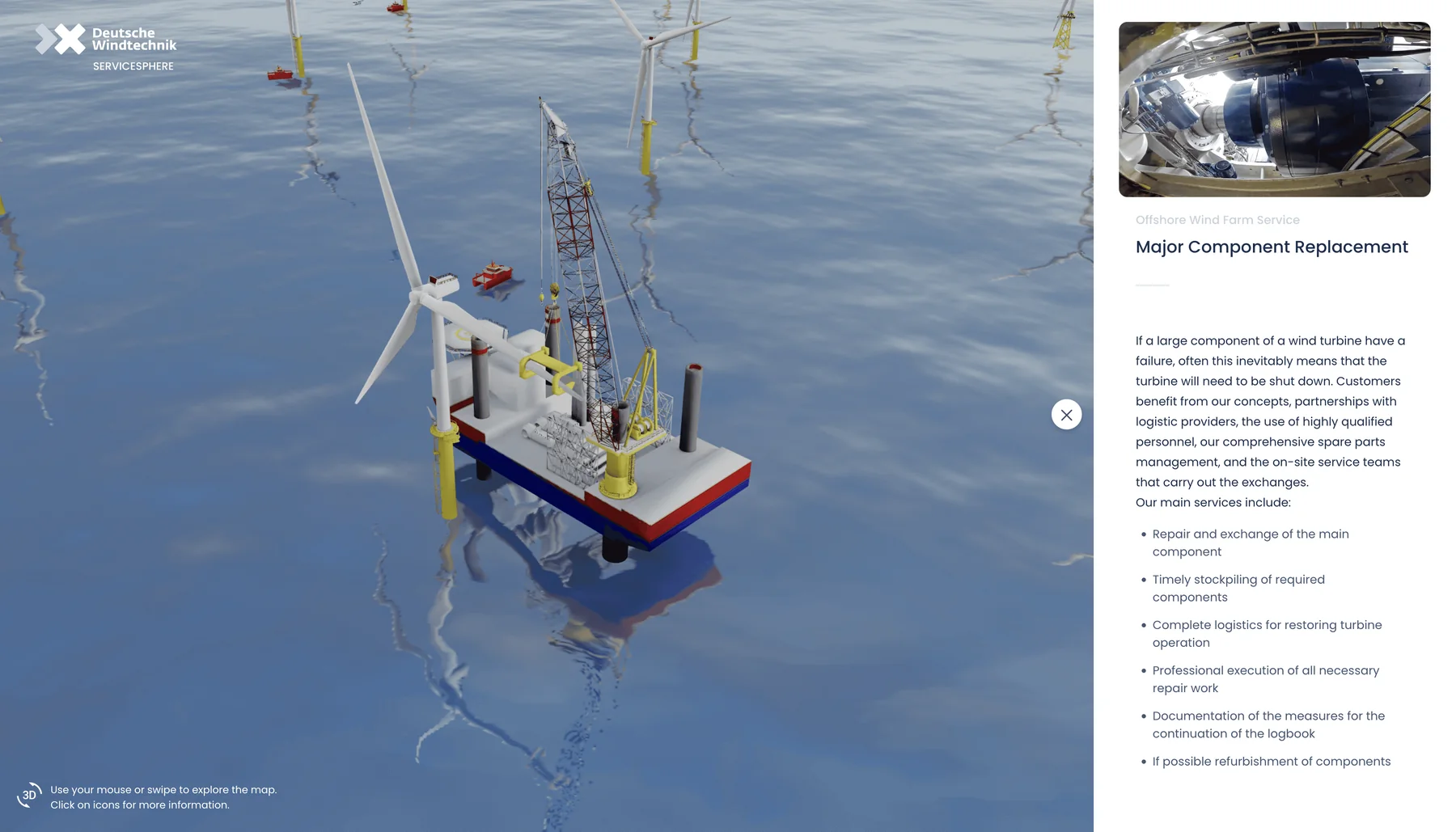
Clicking any service opens its product summary, images, videos and even technical documents, with a contact link that lets visitors reach the company and move toward a partnership.
3D island
- Onshore facilities
- Offshore wind
- Port
- Seabed
- Onshore wind
Service panel
- Product summary
- Images and videos
- Technical documents
Business development
- Contact link
For professional services whose equipment cannot be brought on site, the first meeting can confirm the areas and assets.
(Result)
Full detail preserved, with fast loading
The main challenge was balancing industry technical standards against performance. Every turbine installation, every specialist and every professional tool had to be clearly recognizable to professionals, while the polygon count had to stay as low as possible so that the whole platform could hold its best frame rate.
After the complex objects were reduced and optimized, the products kept the original look and detail, and the scene is easy to operate and quick to load.
(Field notes)
Methods and measurements, open each one
3D Gaussian Splatting on the Web: Bottlenecks and Level-of-Detail Strategy
Hard pruning can reach a count close to merge decimation, but only merge decimation removes the stacking Related method, figures from another project
- about 15 millionNo processingBaselineNo (about 180 layers on average)
- about 12 millionHard pruning: opacity threshold 0.10Stacking not reducedNo
- about 8.4 millionHard pruning: opacity threshold 0.20Stacking not reducedNo
- about 8 millionMerge decimationAdoptedYes
One scan, with rounded Gaussian counts. Whether the stacking is removed is the analysis conclusion for this data.
A scan of about 15 million Gaussians is first merge-decimated to about 8 million, then keeps only about 1.1 million to 3.75 million resident, depending on the tier Related method, figures from another project
- Raw scanabout 15 millionPLY file of about 800 MB
- Cropping and merge decimationMerged into fewer GaussiansNot simply cut away
- Cropped and merge-decimated masterabout 8 millionThe LoD tree and chunks come after this step
- Not residentStays on disk, loaded by viewThe LoD tree is about 200 MB on disk, not a first-load size
- Highest tier, residentabout 3.75 millionStreamed by view
- Middle tier, residentabout 2.2 millionBudget below the highest tier
- Lowest tier, residentabout 1.1 millionLowest budget
Rounded values from one scan. The three tiers are resident counts under different user choices, not sequential steps.
Web 3D Performance Engineering: Measurement, Budgets, and Acceptance
Check cost first for constant stutter and timing only for stutter during transitions, then split cost into three paths Related method
- Confirm the symptomConstant stutter, or only during transitions
- Measure costFrames per second, shader recompilations, GPU time
- Split the cost structureFixed cost versus cost that grows with pixels
- Stutter only during transitions or switchesCheck animation timingWake-up duration, camera animation, frame catch-up order
- Constant stutter, shaders recompile at a regular rhythmFind materials that are repeatedly created and releasedDo not rebuild interface annotations in batches
- Constant stutter, fixed cost dominatesGeometry: reduce and step down detail. Draw calls: merge drawsLower-detail models while dragging, texture atlases for static parts
- Constant stutter, cost grows with pixels and layersCut layers per pixel and material workLowering resolution alone may not help
(Client note)
A truly exceptional team that combines precise aesthetics with professional capability. The website they designed has become a highly effective bridge between our company and our clients, offering a smooth user experience that speaks louder than words.
 Sean TsengSales Manager・Deutsche Windtechnik
The first meeting takes 15 to 30 minutes and gives a direction, a budget range and a draft timeline.
Polish 3DNext case: A TV series set becomes a digital asset that visitors can return to
(Contact)
Start a project.
Three steps to a clear direction and budget range.
- 01Book the first meeting: choose a time. A full specification is not required.
- 02A 15 to 30 minute online consultation: direction, budget range, and draft timeline.
- 03After materials are reviewed, a quote and delivery specification follows in about 3 to 5 working days.
- hello@polish-design.com.tw
- Mailing address
- 3F, No. 191-1, Zhifu Rd., Zhongshan Dist., Taipei 104, Taiwan
Book the first meeting
Monday to Friday, 16:00–18:0030 minutes online
Choose a time, then confirm with a Google account or an email address. A confirmed booking can be added to the calendar.
Choose a time